
Jobs · Sites · Reports
Run every job, from the booking to the client’s report.
Service Vault gives your office one list of jobs and sites, and gives each technician a simple, step-by-step job on their phone. Photos, answers and signatures come back with the time and place. You check the work, approve it, and your client gets a report with your name on it.
In field testing now with our first customer, a solar cleaning and maintenance company in Johannesburg.
One job, start to finish
Every moment of the job, on one record.
These are real screens from Service Vault, shown with our demo workspace (Ridgefield Services, a made-up company).
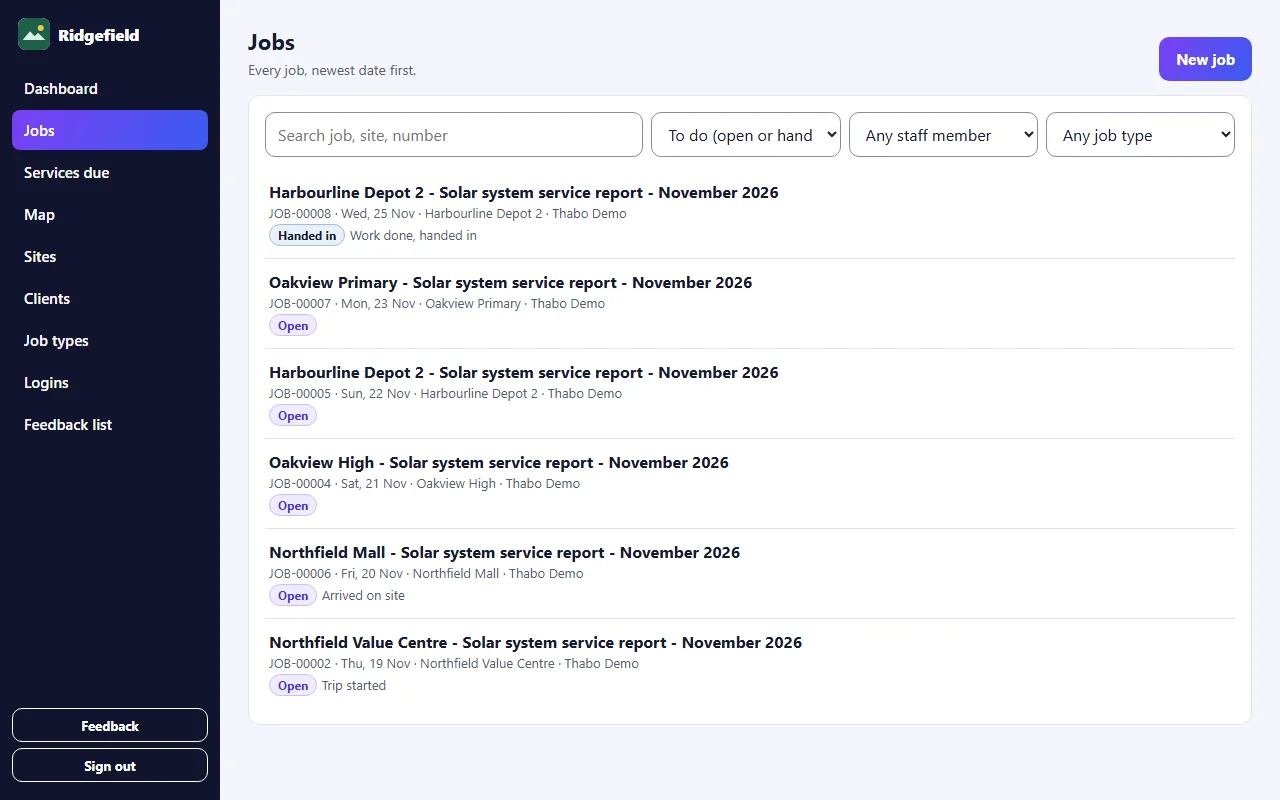
01 / 05 · Book
The office books the job
Pick the site and the job type, set the date and the technician. The site’s details travel with the job.
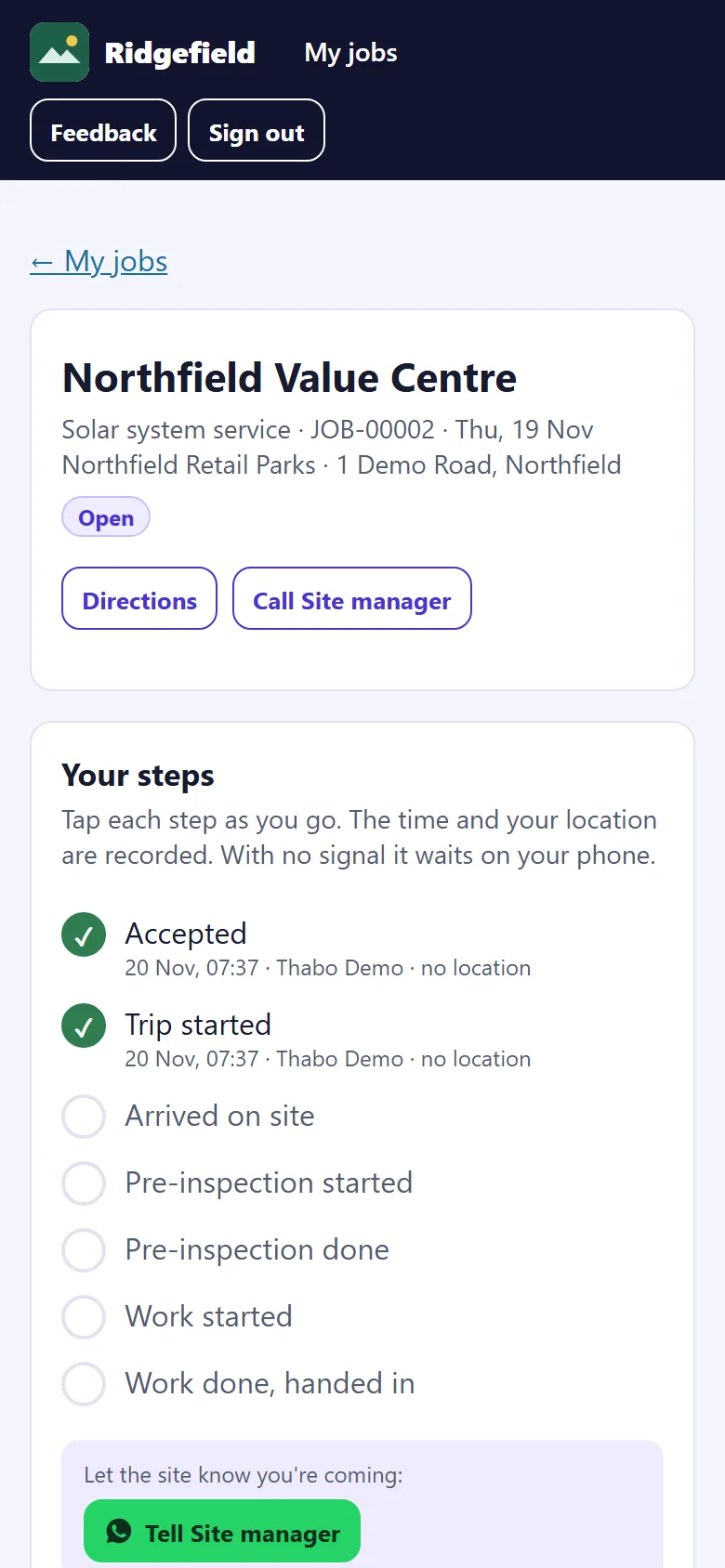
02 / 05 · On site
The technician follows the steps
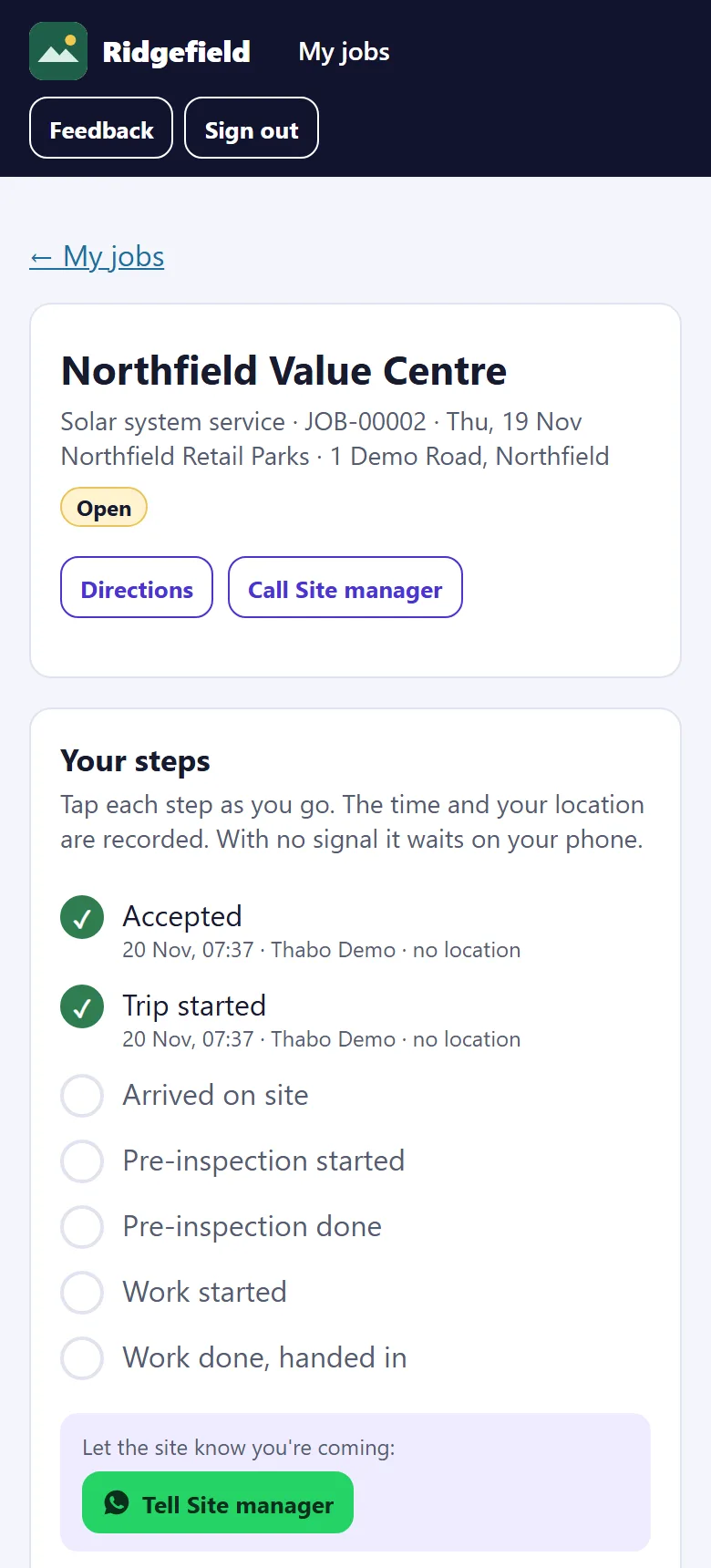
One big button at a time. Each tap records the time and the phone’s location, even with no signal.
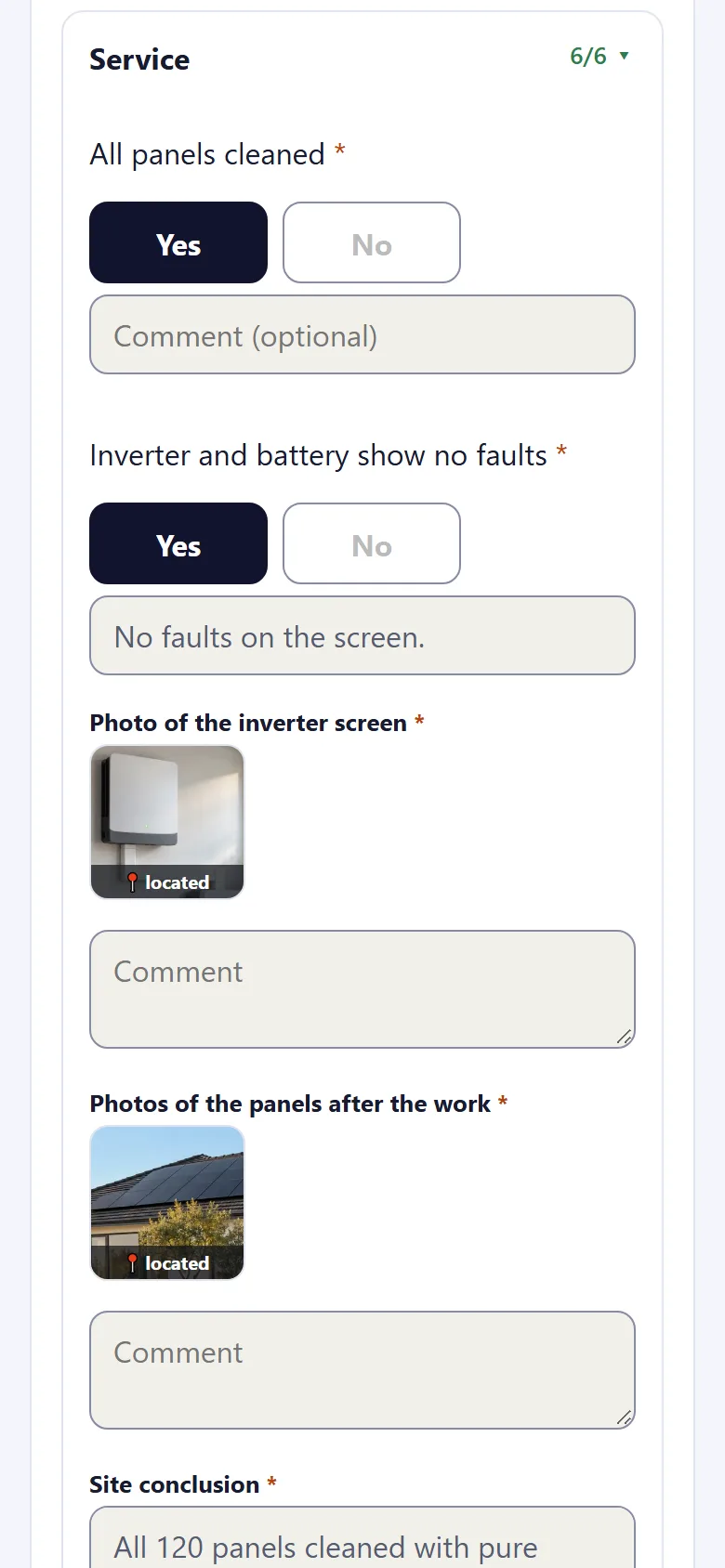
03 / 05 · Capture
Answers, photos and signatures
Your own questions, with photos on the question they belong to and the client’s signature on the screen.
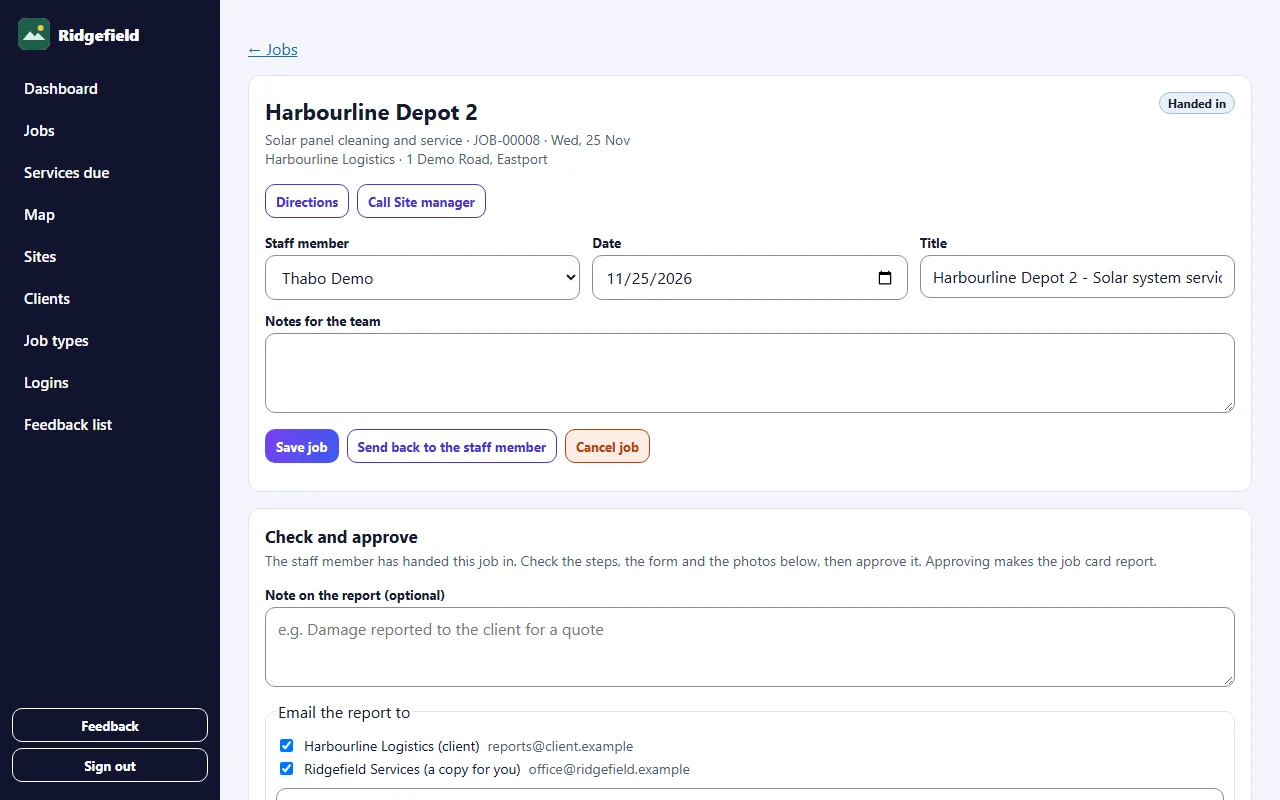
04 / 05 · Approve
The office checks and approves
See every step, answer and photo. Missing items block approval. Approve, and the report is made.
05 / 05 · Report
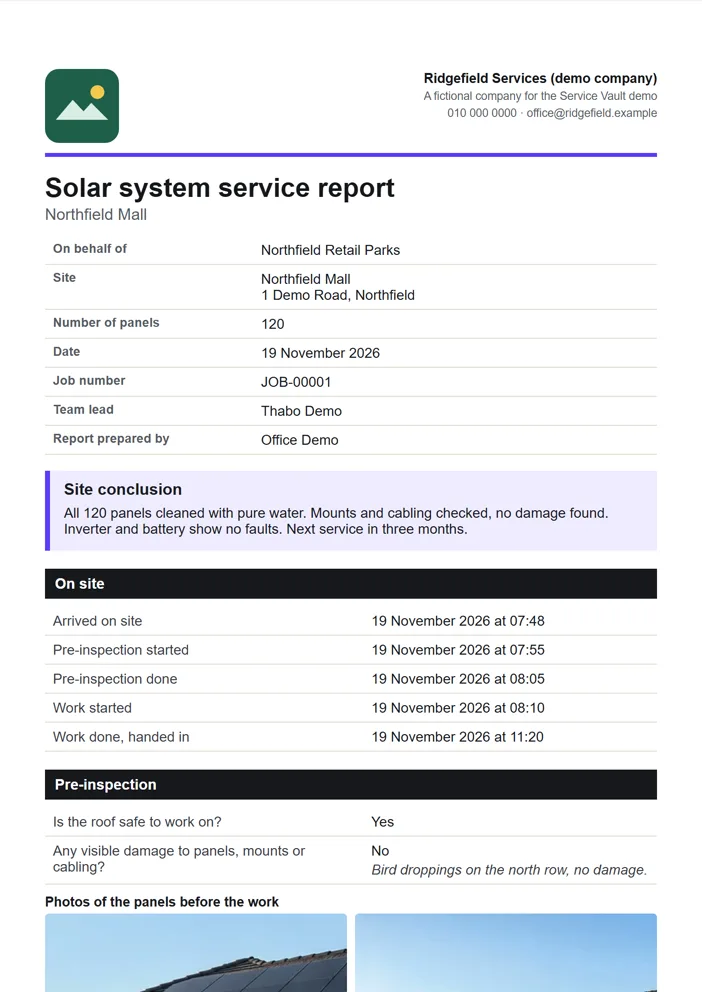
Your client gets the report
An A4 PDF in your branding, emailed from your company’s name. Replies come to you.
Features
Everything the job needs, nothing it doesn’t.
Seventeen things Service Vault does today. Pick one under the screen to see it.
Run the work from the office
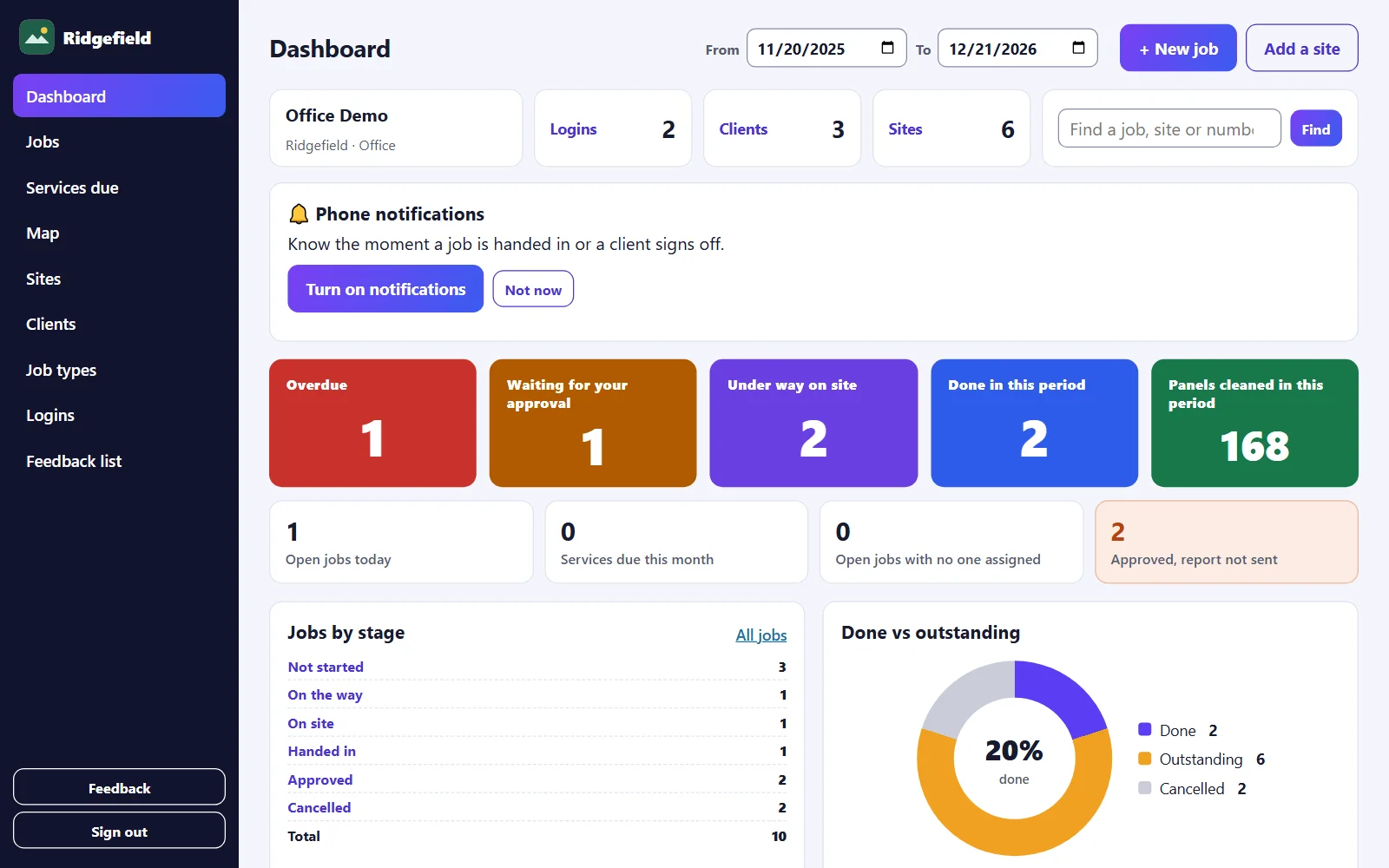
Office dashboard
The office opens on one screen that shows what needs attention, and every number is a shortcut to the list behind it.
Run the work from the office
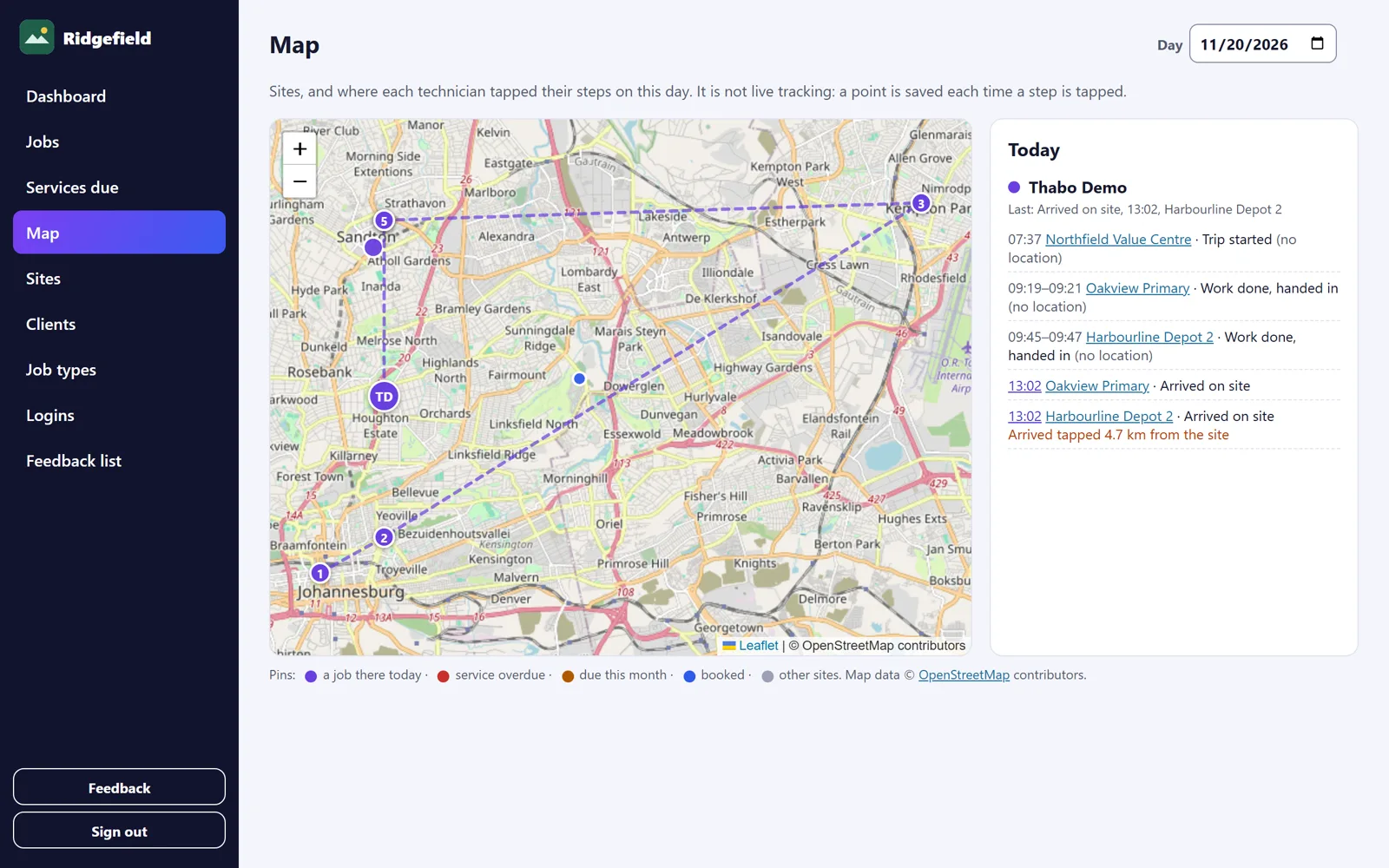
Map and locations
See your sites on a map, and each technician’s day: where and when they tapped every step, joined up in order.
Run the work from the office
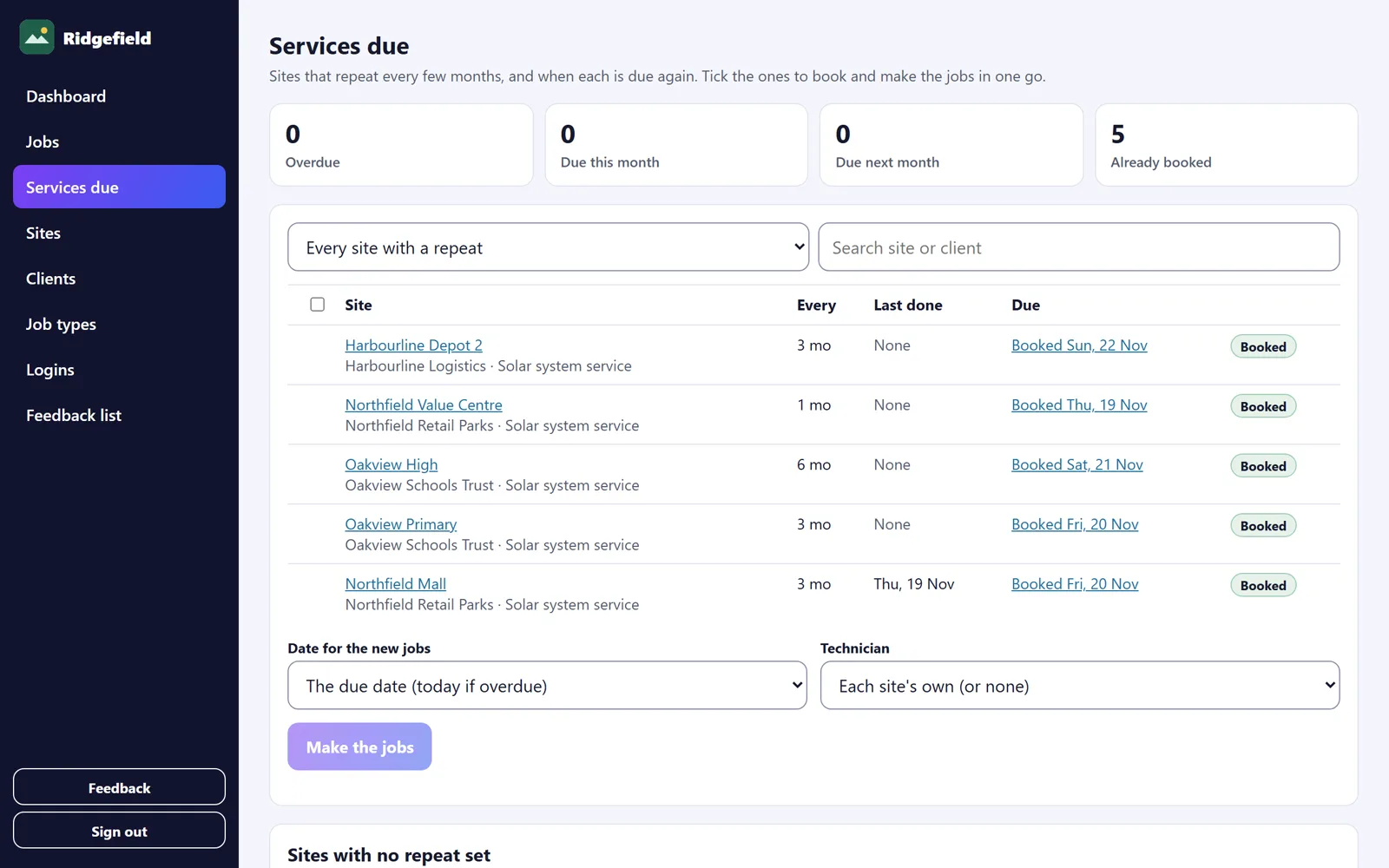
Repeat services
Set how often each site gets a visit. Service Vault works out when it is due again and you book the month in one go.
Run the work from the office
Job management
One list of every job: what it is, where, when, who has it and how far they are.
Run the work from the office
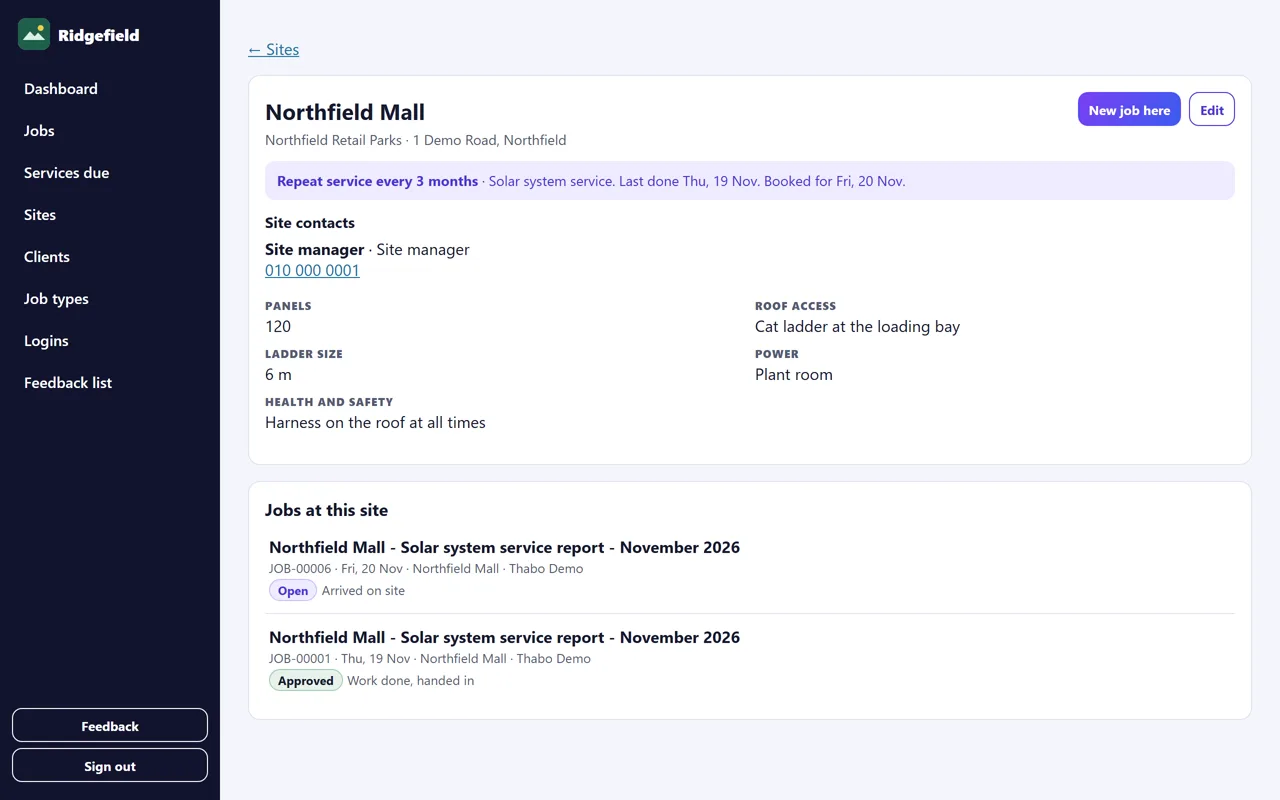
Sites and clients on file
The details your team asks about every time, kept once on the site and sent with every job.
Run the work from the office
Check and approve
The office checks each handed-in job before the client sees anything.
Run the work from the office
Reports with your name on them
Every approved job becomes an A4 PDF report in your own branding.
Run the work from the office
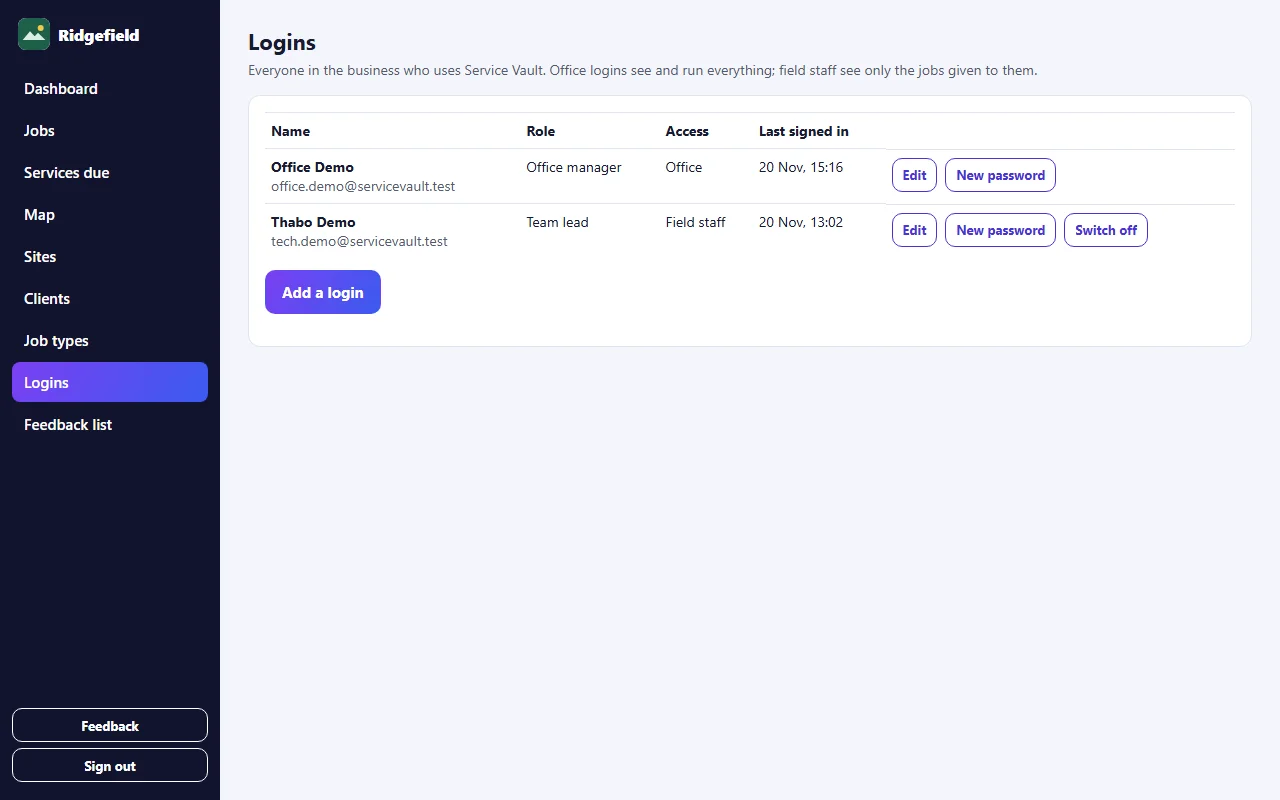
Logins, roles and the activity log
The office sees everything. Technicians see only their own jobs.
Do the job on site
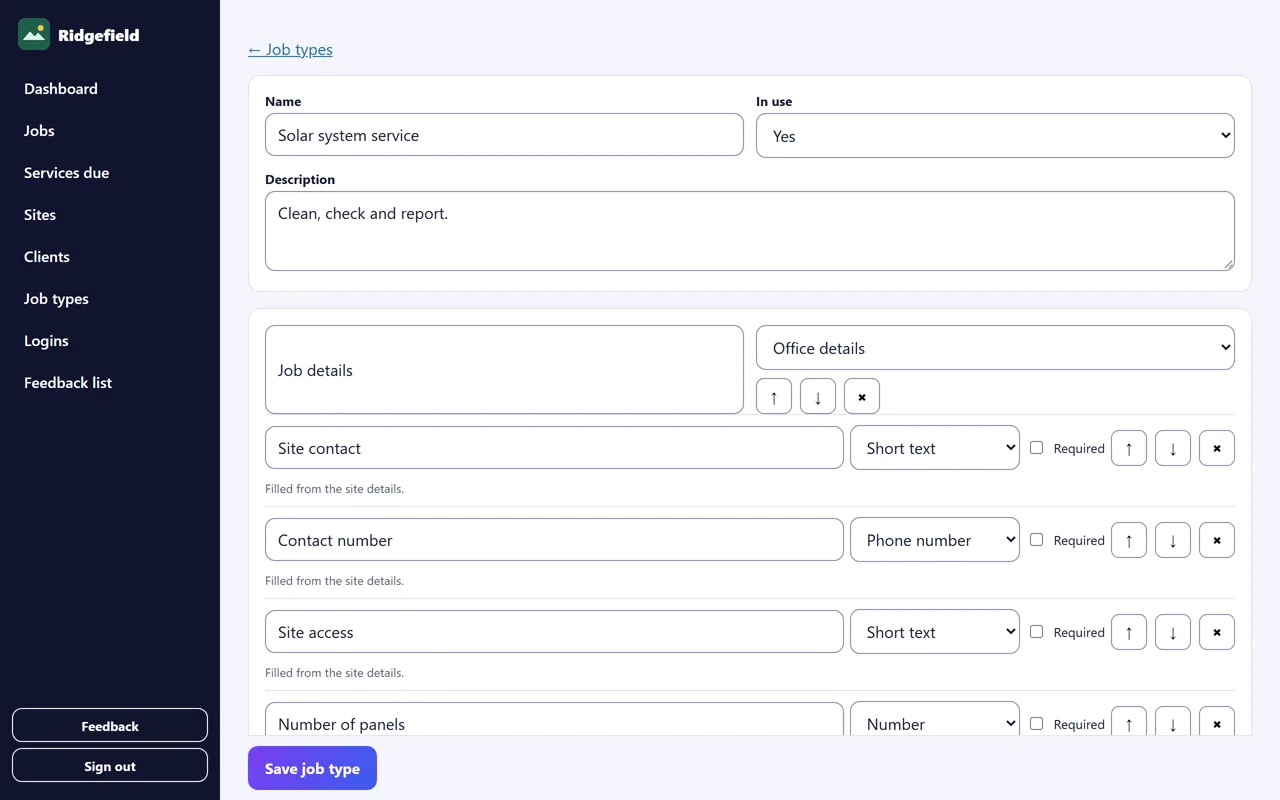
Your own job forms
Each job type has its own form, set up with your sections and your questions.
Do the job on site
Phone notifications
Service Vault tells the right person the moment something changes, on their lock screen like any other app.
Do the job on site
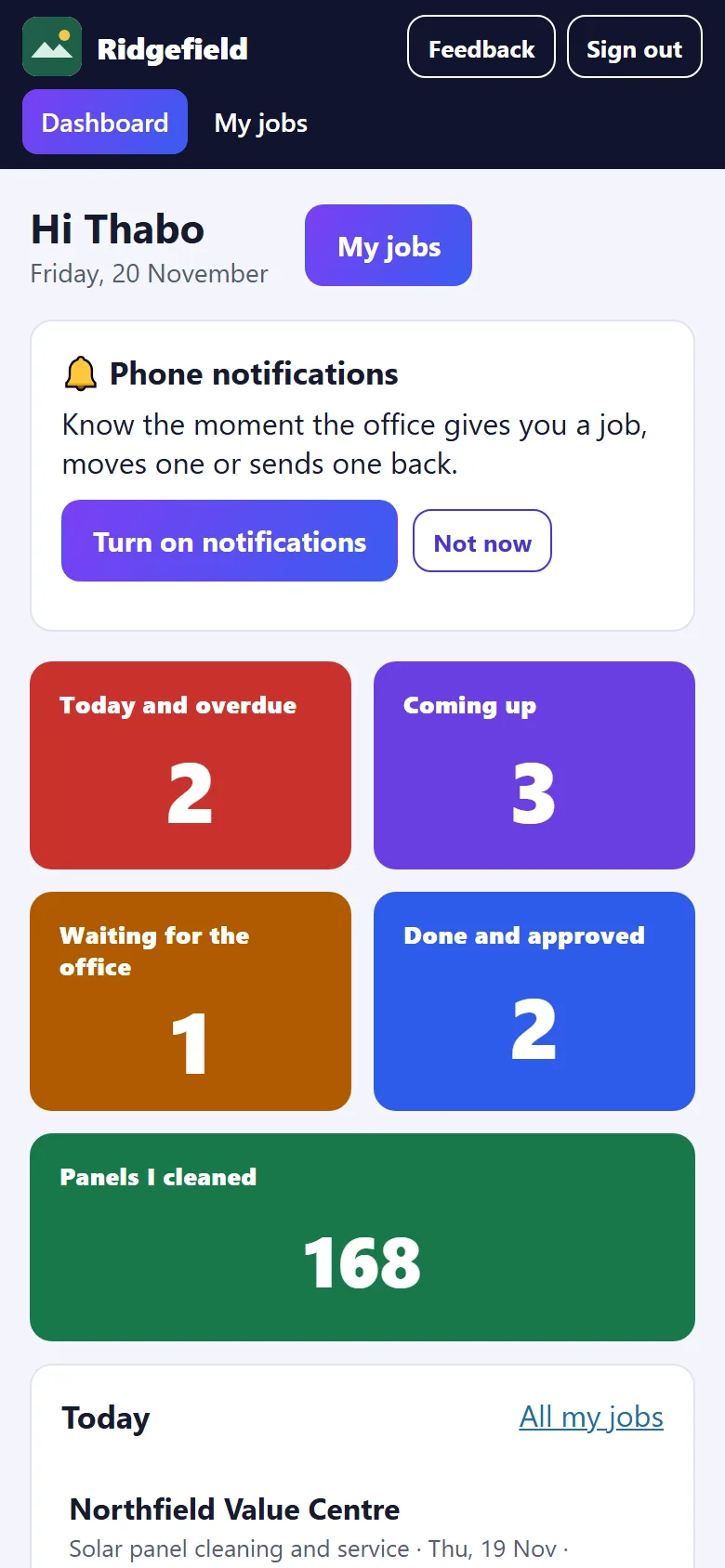
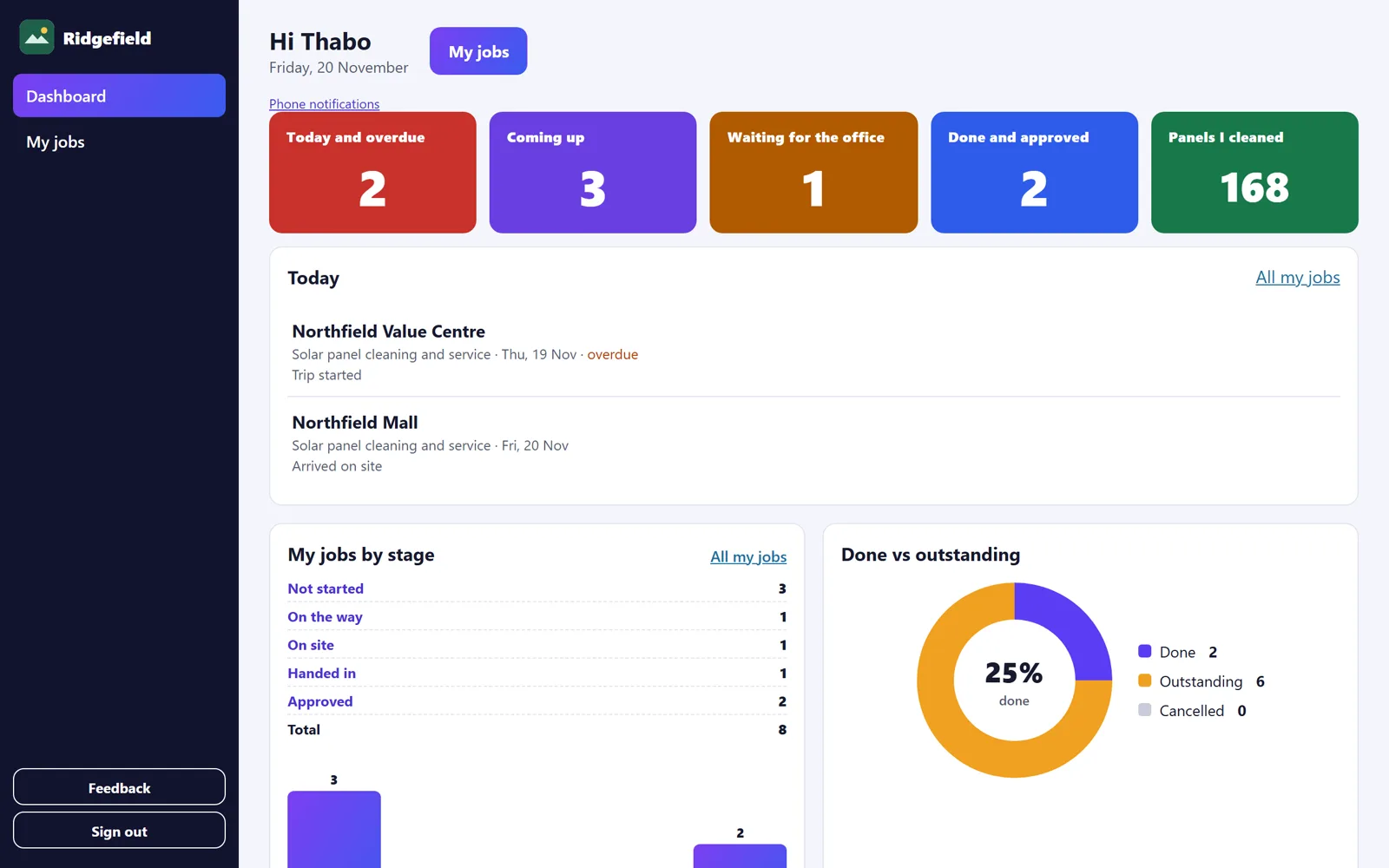
Technician dashboard
Each technician opens on their own dashboard: what is on today, then their own work in numbers.
Do the job on site
Step by step on the phone
The technician’s side is made for a phone in one hand on a roof.
Do the job on site
Photos and signatures
Photos taken in the job, on the question they belong to.
Do the job on site
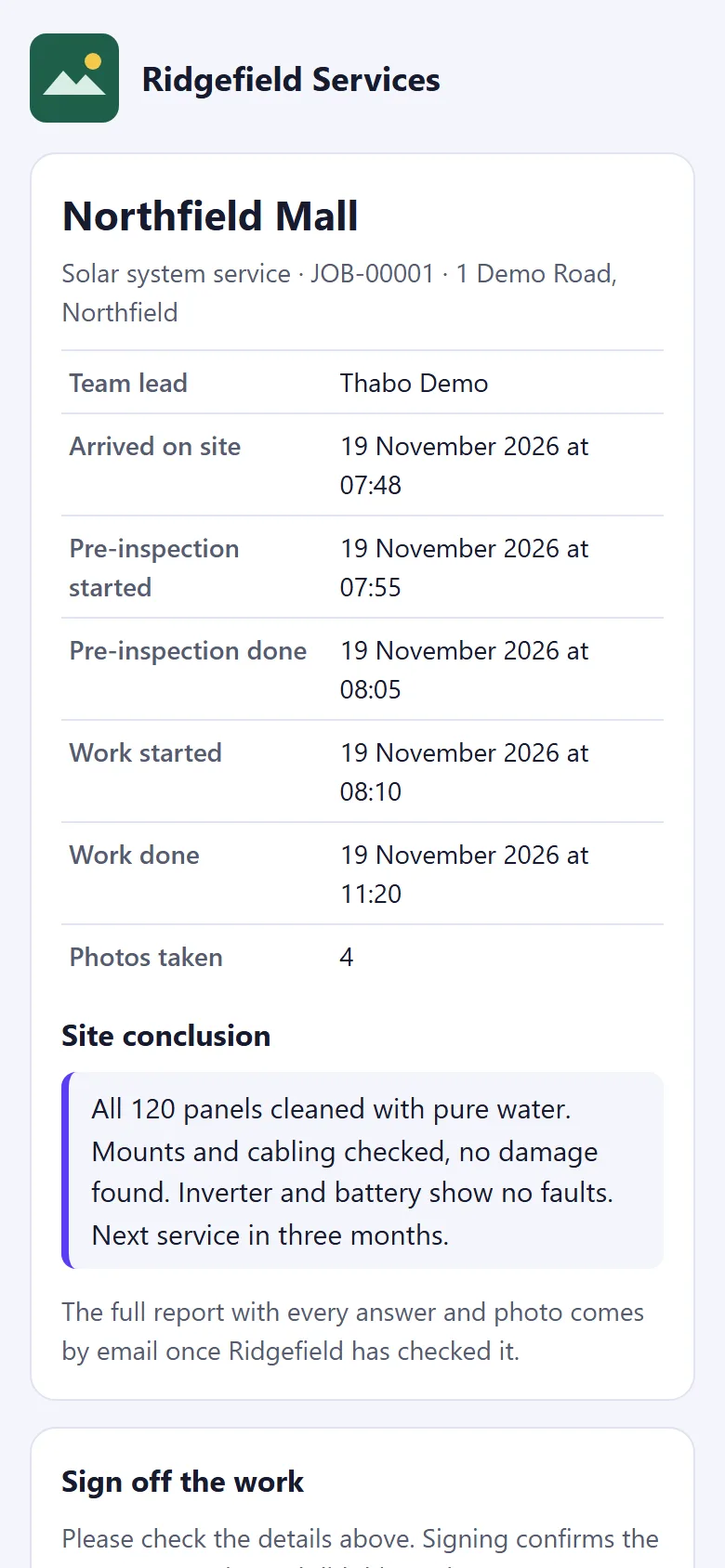
Client sign-off by link
When the site manager is not there as the team finishes, send them a link. They check what was done and sign on their own phone.
Do the job on site
On-our-way message
Once the technician starts the trip, a WhatsApp button for each site contact appears with the message already written.
Do the job on site
Works with no signal
No signal does not stop the job. The phone keeps everything and sends it when the signal is back.
Setting up
Bring your records
We move your clients, sites and past jobs over, so day one starts with your history in place.
Getting started
From sign-up to your first report.
- 1
Tell us about your team
Sign up your business. We call you to understand your jobs, your sites and how you report to clients now.
- 2
We set it up with you
We rebuild your job forms in your wording and load your clients, sites and past jobs.
- 3
Your team starts
Your office and technicians get their logins. Technicians open it in their phone’s browser.
- 4
You approve, clients get reports
Handed-in jobs wait for your check. Approve, and the report goes out in your name.